
Roles
- Owner: full control, including sharing and deleting.
- Editor: can change the canvas.
- Viewer: can follow along without editing.
Invite people
Open the collaborator panel in the canvas header and invite by username or email. If they already have an account they join right away. If not, they get an email invite, sign up from the link, and land straight on the project. You can change roles or remove people later. Anyone can leave a project themselves.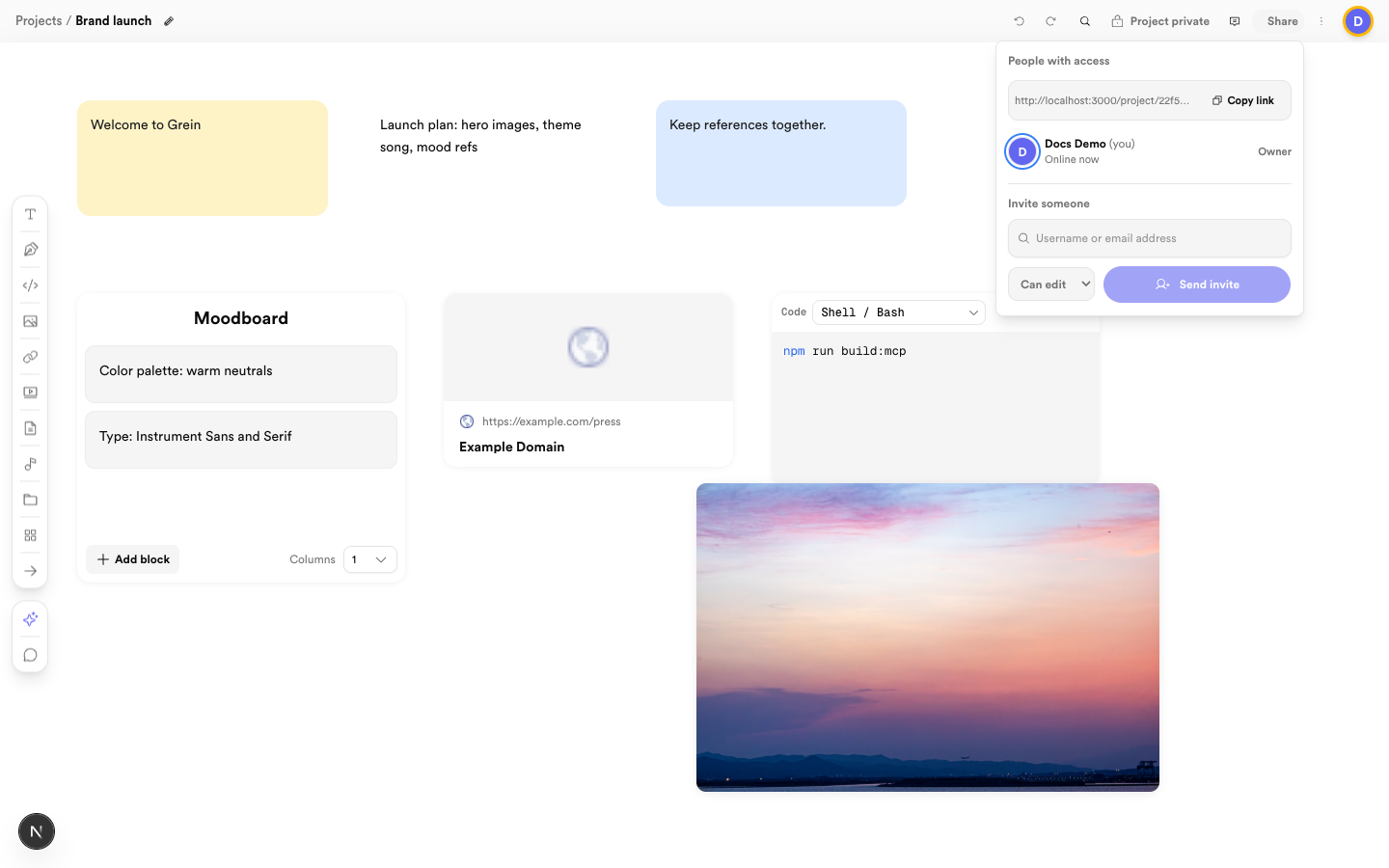 Invite by username or email and pick editor or viewer
Realtime presence
When teammates are on the same board you see their avatars in the header and their names on the blocks they have selected. Edits appear live — if your connection drops you keep editing solo and everything still saves.Comments and project chat
Start a thread on any board or block, reply in context, and mention teammates with @username to notify them.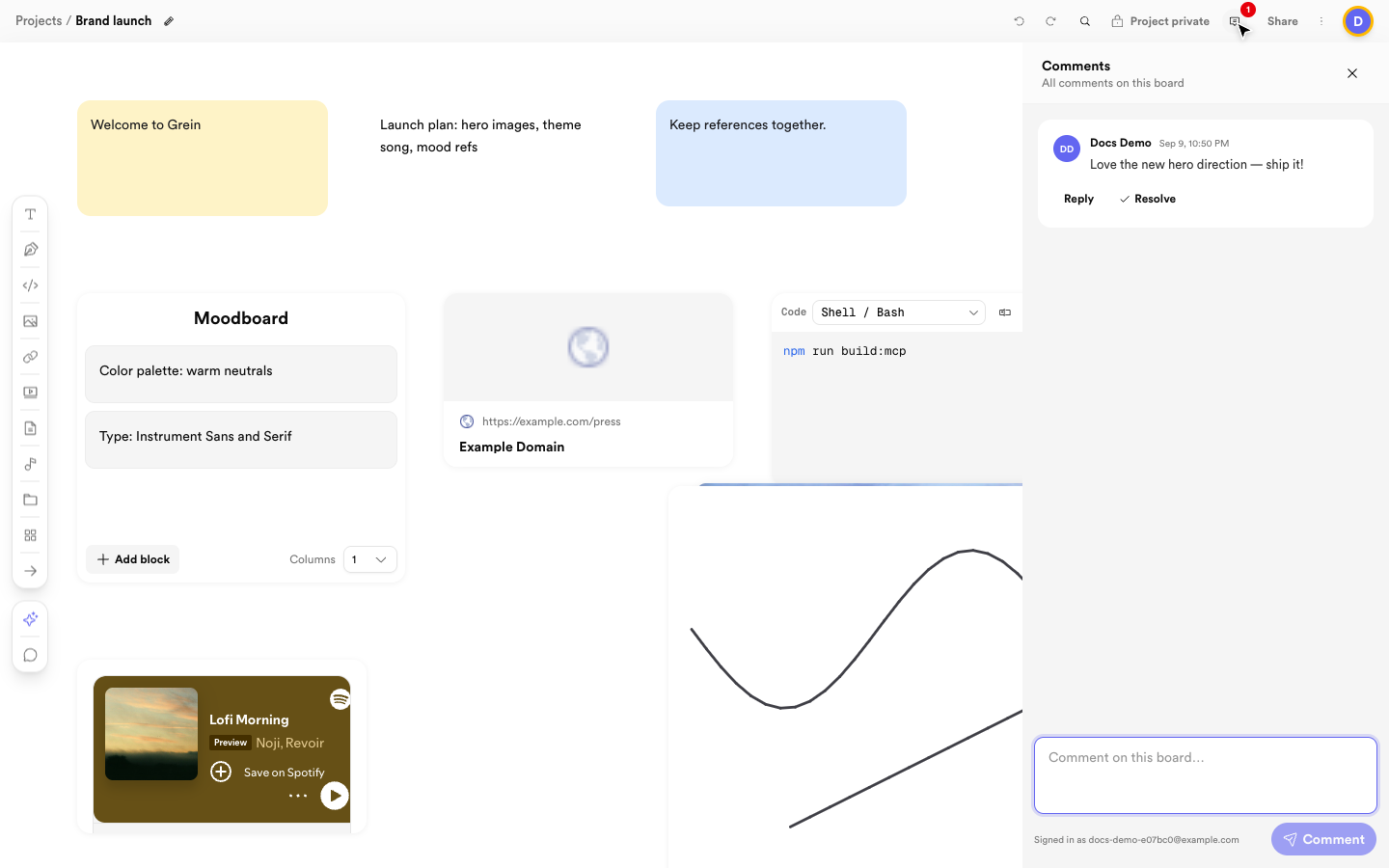 Comment in context, reply, and resolve threads
Use project messages for broader discussion.
Comment in context, reply, and resolve threads
Use project messages for broader discussion.
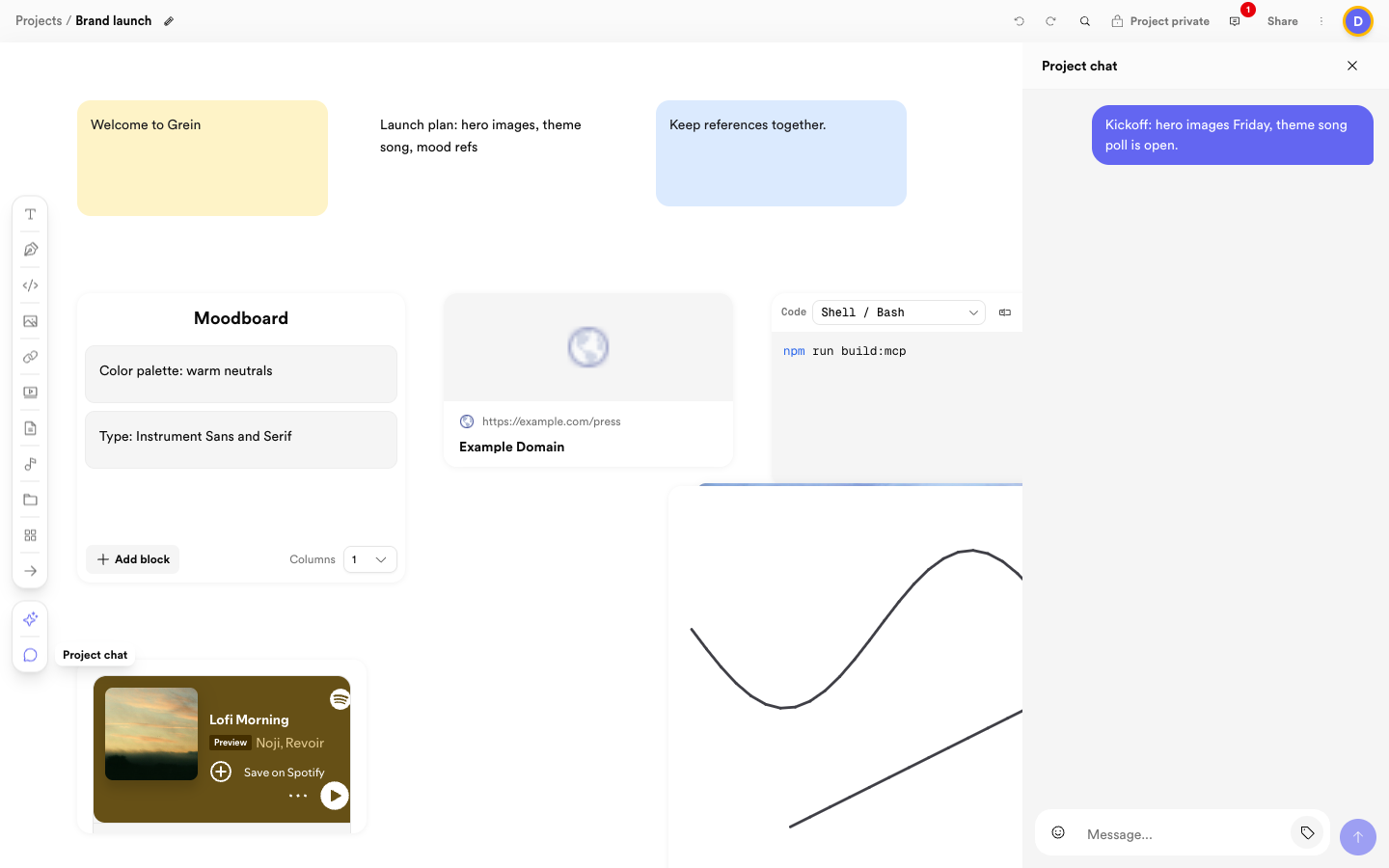 Keep project-wide discussion in chat with references
The notification bell links directly to new activity.
Keep project-wide discussion in chat with references
The notification bell links directly to new activity.