
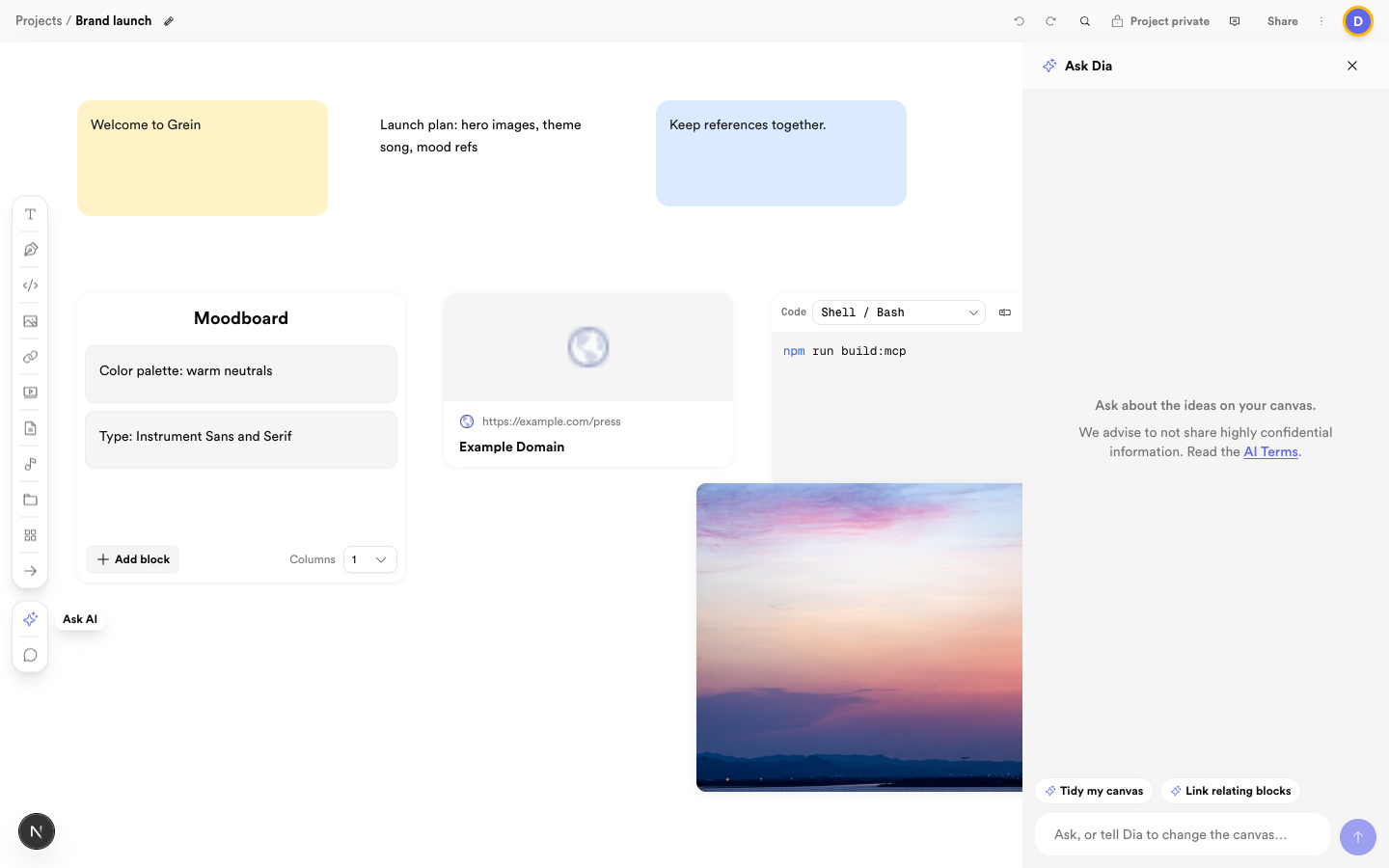
 Ask Dia with a clear goal, or start from a suggestion
What Dia can do
- Add notes, images, links, and other blocks.
- Move, resize, edit, duplicate, lock, or arrange blocks.
- Connect blocks with arrows and tidy layouts.
- Group related content under titled composites.
- Search your boards and summarize what it finds.
Availability
Dia chat is a paid feature. Accounts on the free plan see an upgrade prompt in the assistant panel instead of the chat box.How to get good results
Give Dia a clear goal: what to add, where it goes, and how it should be arranged. For example: add three notes to the research board, arrange them left to right, and connect them. The panel also suggests starters like Tidy my canvas and Link relating blocks. Review its changes on the canvas — undo is available if you want to step back.Tips
- Ask it to use titled composites for related content.
- Keep one request focused on one board.
- Prefer external AI connections when you want to work from outside Grein — see Connect external AI.